
Process Your Solar Images From Start to Finish
Solar processing is more than stacking a video and adding some color. Each decision affects the detail, contrast, and noise in your final image. This course puts the complete workflow in one place, in the order you need it.
10 chapters · Practice files · Lifetime access
You'll learn from Mark Johnston, solar astrophotographer, NASA Solar System Ambassador, and author of The Solar Observer's Handbook. Follow his processing methods for hydrogen-alpha, white-light, and calcium-K data, then put them into practice with the included files.


Turn raw solar captures into images you'll be proud to share.
This course walks you step by step through a complete solar processing workflow, from stacking and sharpening to colorization, mosaics, time-lapses, and final presentation.
With practical lessons and downloadable example files, you'll learn how I process hydrogen-alpha, white-light, and Calcium K solar data.
-
Lifetime access with free updates
-
Covers H-alpha, white light, and Calcium K
-
Stacking, sharpening, colorization, and denoising
-
Learn mosaics and time-lapse processing
-
Downloadable practice files included
-
Step-by-step workflow lessons
By the end of this course, you'll be able to...
- Use AutoStakkert! to analyze, align, and stack your video files.
- Recover fine detail with ImPPG without pushing sharpening too far.
- Adjust contrast, color, and final presentation in Affinity.
- Reduce noise while preserving real solar structure.
- Follow an optional PixInsight workflow using Solar Toolbox.
- Combine panels into solar mosaics and turn image sequences into time-lapses.
- Recognize common processing mistakes and build a repeatable workflow of your own.
And most importantly... Get more out of your solar data!


Instructor Bio
Learn from a true expert

Mark Johnston's Awards & Features
Learn solar processing with a REAL expert. Mark's work has been featured in the following and many more:


Course Curriculum
-
-
Table of Contents
FREE PREVIEW -
How to Navigate this Course
-
Come Say Hello! ☕️
-
-
-
Quick Word from Antoine
FREE PREVIEW -
Welcome to the course!
-
What you will be able to do upon completing the course
FREE PREVIEW -
About the instructor
-
How the course is organized
-
The solar processing workflow
-
Software used in this course
-
Computer and storage requirements
-
Downloading practice files
-
How to use the exercises and quizzes
-
Before you begin survey
-
-
-
What processing can and can't do
-
AI Enhancement: Restoration versus Invention
-
What makes an SER suitable for processing?
-
Why different captures need different processing
-
Recognizing over-processing
-
Natural versus inverted luminance overview
-
Choosing the Best Capture Before Final Processing
-
File organization
-
Foundations quiz
-
-
-
Why stacking?
-
AutoStakkert! interface overview
-
Opening SER files
-
Image stabilization settings
-
Analyzing the data
-
Quality estimator and graph
-
Reference frame
-
Inspecting the raw sequence
-
Alignment points — what they do and how to set them
-
Why more frames are not always better
-
Sharpening in Autostakkert!
-
Drizzle
-
Running the stack
-
Common AutoStakkert! mistakes
-
AutoStakkert! workflow summary
-
Complete AutoStakkert! workflow — start to finish
-
AutoStakkert! quiz
-
Practical exercise
-
-
-
Sharpening: What it does and how to think about it
-
Sharpening versus deconvolution
-
Introducing ImPPG
-
Opening and navigating an image in ImPPG
-
Using Lucy-Richardson deconvolution in ImPPG
-
Unsharp masking in ImPPG
-
When to use adaptive unsharp masking
-
Adjusting luminance with tone curves in ImPPG
-
Why invert a solar image?
-
Applying inversion with tone curves in ImPPG
-
Recognizing oversharpening
-
Sharpening workflow summary and demonstration
-
Sharpening quiz
-
Practical sharpening exercise
-
-
-
Why Affinity For Solar Processing
-
Importing ImPPG TIFFs & Document Setup
-
Non-Destructive Workflow Fundamentals
-
Cropping
-
Rotation and Orientation
-
Colorization Using Curves
-
Refining Hue and Saturation
-
Selections, Masks and Feathering
-
Sharpening Adjustments Using the Clarity and Unsharp Mask Filters
-
Tone Mapping and Local Contrast
-
Using Enhance Structure for fine contrast adjustments
-
Correcting Uneven Luminosity Gradients
-
Dust and Blemish Repair Using Inpainting
-
Creating Macros for Common Workflows
-
Saving Masters and Exporting Final Image
-
Affinity Workflow Summary
-
Affinity exercise
-
Affinity quiz
-

About this course
- $89.00
- 134 lessons
- 1.5 hours of video content
Start With the Right Solar Data

Stack Your Solar Videos the Right Way

Bring Out Detail Without Over-Processing

Build Solar Mosaics and Time-Lapses

Practice, Check Your Progress, and Try Again

Full Access to the Galactic Lounge ☕️
A Space where Everyone is Welcome
Also get access to the Discord chat to talk to other members at anytime!

Read, Watch, and Follow Along
Clear explanations you can revisit at your own pace

FAQ
-
Do I need my own solar data or a telescope?
No. Downloadable practice files are included so you can follow the processing exercises before using your own captures. To photograph the Sun yourself, you will need suitable solar equipment and must follow the safety guidance for that equipment.
-
How long will I have access?
An individual purchase gives you lifetime access to this course, with no expiry date. You can revisit the explanations and workflows whenever you process new solar data.
-
Where can I ask questions?
Use the discussion area in the lessons to ask course-related questions. You can also join the Galactic Lounge to share your progress and talk with other astrophotographers.
-
Can I watch the course on a phone or tablet?
Yes. You can access the online lessons through your student dashboard on a computer, tablet, or smartphone. Following the image-processing exercises requires a computer with the appropriate software.
-
What software and computer do I need?
The core workflow uses AutoStakkert! for stacking, ImPPG for detail recovery, and Affinity for finishing. You will need Windows or a Windows environment on a Mac for the core workflow. The introductory lessons explain the requirements and downloads. Dedicated noise-reduction tools and the PixInsight workflow are optional; you do not need to buy every application shown.
-
Do I need PixInsight experience?
No. The main workflow uses AutoStakkert!, ImPPG, and Affinity. A separate optional chapter covers PixInsight with Solar Toolbox for students who want to use that alternative.
-
What kinds of solar images does the course cover?
The course covers processing hydrogen-alpha, white-light, and calcium-K solar data. It also includes solar mosaics, time-lapses, and final projects using H-alpha and photospheric images.
-
Is this a capture course or a processing course?
The focus is processing, from raw solar video to a finished image or time-lapse. You will learn how to assess your captures and plan mosaic panels, but this is not a complete course on choosing, setting up, and operating a solar telescope.
Learn about the Ultimate Membership!
Why get one when you can get ALL?
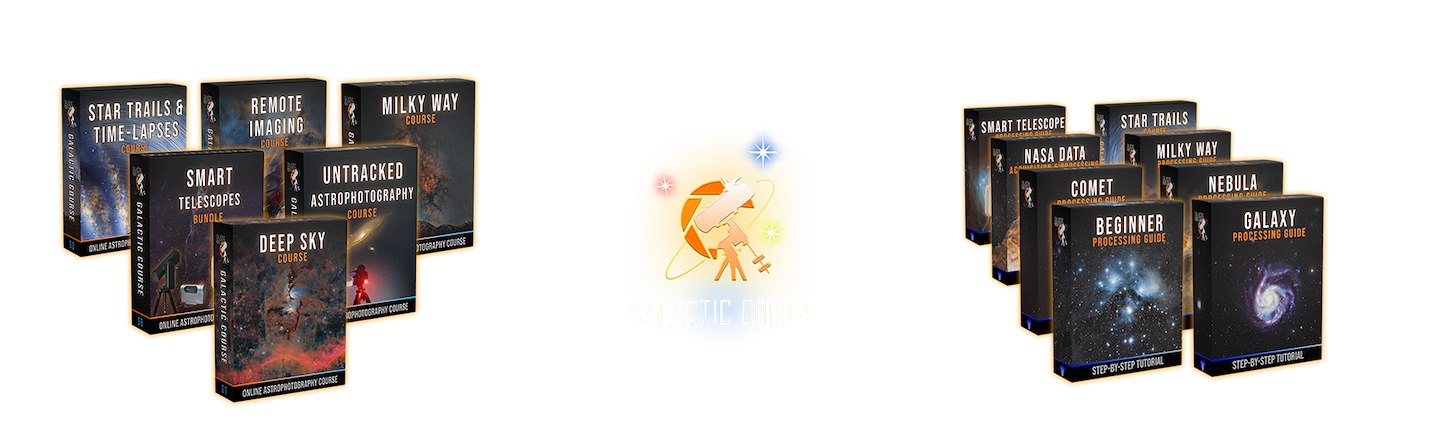
This solar image processing guide is part of the Galactic Course Ultimate Membership, which also includes our courses on Milky Way photography, Star trails, Time-lapses, Remote Imaging, smart telescopes, all our processing guides, and several perks!
Become an ultimate member to unlock all the learning content and get the very best out of your investment.