Would you rather use Photoshop over PixInsight? This Beginner Processing Guide is specifically designed to help you learn the basics of Photoshop and process your very first images ! These easy-to-follow tutorials explain everything to you through videos with commentary, screenshots, and written instructions.

Learn how to process images of your Deep Sky Object step-by-step and achieve a result that you can be proud of using only Photoshop!

It also includes raw data, forum access, and more!

  • Lifetime access with free updates

  • Compatible across platforms (Windows, Mac, Mobile...)

  • 45 Lessons | 35 videos with commentary

  • Downloadable videos for offline learning

  • Soon also available in French, German, and Spanish*

Get the BEST out of your files

Don't underestimate how much potential your data has! Reveal all the colorful but faint hidden gasses lost in the background and see what you truly captured during the night.

A Course Should Only be Taught by the Best!

The first guide by an external instructor

I’ve never hid the fact that I only use PixInsight for all my processing. However, I know many of you are hesitant to invest in the program and have been asking for a professional workflow designed entirely for Photoshop.

I firmly believe you shouldn't sell a course unless you have 100% mastery of the subject. Because I don't use it as my primary tool, it wouldn't be right for me to be the one teaching it.
That’s where Craig comes in. We've known each other for years, since he invited me to be his first member at his remote observatory in Utah (UDRO). I’ve always admired his work and his processing style. He has spent a lifetime mastering Photoshop, using it to create such incredible images. Choosing Craig as the instructor for this course was a no-brainer, and I fully believe his workflow is one of the best out there!
Craig Stocks and Galactic Hunter UDRO

Course Curriculum

    1. Welcome to the Beginner Photoshop Processing Workflow!

    2. Astrophotography Workflow Overview

    3. Table of Contents

    4. Come Say Hello! ☕️

    5. Before We Start

    6. Download our Raw Data

    1. Stacking Astro Images

    2. Understanding Digital Color

    3. Stacking with Deep Sky Stacker

    1. System Requirements

    2. How to Install Photoshop

    3. How to Install StarXTerminator and NoiseXTerminator

    4. Non-Destructive Editing

    5. Arranging the Photoshop Workspace

    6. Layers and Masks

    7. Important Photoshop Tools and Processes

    8. Understanding the Histogram

    1. What is Stretching?

    2. Overview of Stretching Options

    3. Stretching with Photoshop

    4. Stretching with FITS Liberator

    5. Stretching with PixInsight

    1. Why Remove the Stars?

    2. StarXTerminator

    3. StarNet V2

    1. Veil Nebula - Simple One-Shot Color

    2. Veil Nebula - Dual Narrowband

    3. Veil Nebula - Simple OSC + Dual Narrowband

About this course

  • $50.00
  • 44 lessons
  • 6 hours of video content

Learn the Basics of Photoshop

Take your first steps into Photoshop

Never used Photoshop before, and not interested in trying PixInsight? The guide starts with a section dedicated to learning the basics of the software. These first lessons, in the form of videos, help you get familiar with the workspace, layers, masks, the histogram, and more! This is the perfect way to prepare you for the workflow ahead!
Photoshop Histogram Tutorial

Learn How to Stack Using DSS

A Quick and Easy Way to Stack your Files

Since Photoshop isn't ideal for stacking hundreds of heavy astrophotography files, your instructor will show you a very simple way to stack using a 100% free program: Deep Sky Stacker. Once stacking is done, you will import your Master file into Photoshop and process it from beginning to end in there!
How to stack your Images

Process your Image - with a Workflow made for Beginners

Start with an Easy Workflow and Learn at your Own Pace

Follow the lessons and see how you can achieve a fantastic result on your data even with a basic and easy workflow! The processes used in the guide are purposefully beginner-friendly, so that you do not get confused or discouraged before you finish processing your file.
Learn to process an image with a beginner workflow

Full Access to the Galactic Lounge ☕️

A Space where Everyone is Welcome

Join the Galactic Lounge, a growing community for astrophotographers to connect, share tips, ask questions, and get expert help. Access a supportive forum for all things Astrophotography, share photos, and stay updated on events and announcements!

Also get access to the Discord chat to talk to other members at anytime!
Galactic Lounge Community Home page

Get the Photoshop Processing Guide Now

Whether you are planning to use your own or the provided raw data, you can be certain to get great results. Thanks to its easy-to-follow structure, you will be able to open this guide on the side every time you work on a new image until you have absorbed all the steps and techniques naturally.

Instantly access our Beginner Processing Workflow and start learning immediately!

Bonus Material

  • Raw Data

    This workflow contains high-quality raw data of several targets. You can download this data to practice or follow along with the guide.

  • Discount for Ultimate Bundle

    Upon completion of this course, you receive a $50 discount for access to our Ultimate Bundle - which provides access to all courses and guides, plus perks.

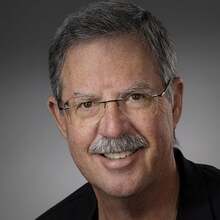
Craig Stocks

Instructor Bio:

Craig is a retired mechanical engineer, but has been a passionate photographer since the 1970s and an avid astrophotography enthusiast for years. He is also an expert image processor and is well versed in both PixInsight and Photoshop. Craig’s expertise combined with his approachable teaching style, makes complex concepts accessible. Craig also shares his knowledge through numerous tutorials on the Utah Desert Remote Observatories YouTube page. In 2022, Craig and his family launched Utah Desert Remote Observatories, hosting telescopes for clients worldwide (see utahdesertremote.com for more information.) Craig also worked with Dr. Christian Sasse to develop the PiMagic Studio workflow automation tool for PixInsight and Photoshop (see pimagicstudio.com for more information).

Craig Stocks

Instructor

FAQ

  • Do I need my own files to use the course?

    Not necessarily. We encourage you to use your own data, but also provide high-quality master files of the Pleiades that we shot from the Nevada desert! You can download these files to follow along and do exactly what we do in the videos with the exact same files. This is great if you'd like to practice before using your own data.

  • How long will I have access to the course material?

    Courses that are purchased individually give you lifetime access with no expiry date. Bundles on the other hand, which include all courses at a low price, have a small yearly renewal fee. More info on that can be found on the bundle pages.

  • What kind of support is available if I have questions during the course?

    We receive a lot of emails and messages on social media each day from people seeking help with astrophotography. We do our best to reply to everyone, but it is not always possible. We prioritize emails from both Galactic Course members and Patreon.

  • Can I access the course on mobile devices?

    Yes, you can access the course on any device, which include computers, tablets, and smartphones.

  • Can I access the course offline?

    The course lessons are hosted on an online platform, but you will have the option to download the videos and watch them at any time, even when offline!

  • I have difficulties hearing, do the videos have CC / subtitles?

    [Work In Progress - COMING SOON!] Yes, all videos have closed captioning / subtitles which you can toggle ON or OFF at anytime. You can also play the video at different speeds, for example, at a slower rate of x0.5 or x0.75 if you want! On top of that, subtitles are also available in French, German, and Spanish.

  • Are the courses available in different languages?

    Text content: The text content is written in English, but it is nowadays very simple to auto-translate it to the language of your choice with whatever browser you are using. Example for Google Chrome: Click on the 3 dots near your profile, then click "Translate" and choose a language. [Work in Progress - COMING SOON!] Videos: All videos have subtitles in four languages: English, French, German, and Spanish!

  • Why is this course taught by somebody else than yourself?

    Unlike the other courses on this site, this guide is taught by my good friend, Craig Stocks. Throughout my years in astrophotography, I’ve never hid the fact that I rarely touch Photoshop, and always use PixInsight for all my processing. However, I know many of you are hesitant to invest in PixInsight and have been asking for a professional workflow designed entirely for Photoshop. I firmly believe you shouldn't sell a course unless you have 100% mastery of the subject. Because I don't use it as my primary tool, it wouldn't be right for me to be the one teaching it. That’s where Craig comes in. I’ve known him for years and have always admired his processing style. He has spent a lifetime mastering Photoshop, using it to create such incredible images. Choosing Craig as the instructor for this course was a no-brainer, and I fully believe his workflow is one of the best out there!